
Platform Update
New in WebPlatform: a setup checklist for your business, yearly plans and more
This month's updates are about one thing: helping you get your first real result from WebPlatform faster, whether that is a booking, an order, a campaign or a new enquiry. Here is what is live today and what is coming next.
A setup checklist that follows your business
Your dashboard now shows getting-started steps for the goal of your plan: campaigns, appointments, an online store, real estate, healthcare or hospitality. Each step links straight to the page where you do it, and ticks itself off once the work is done, for example when you add your first service, product or contact. If setup is not finished, short reminder emails in your first week show the steps that are left.
Pay yearly and save 20%
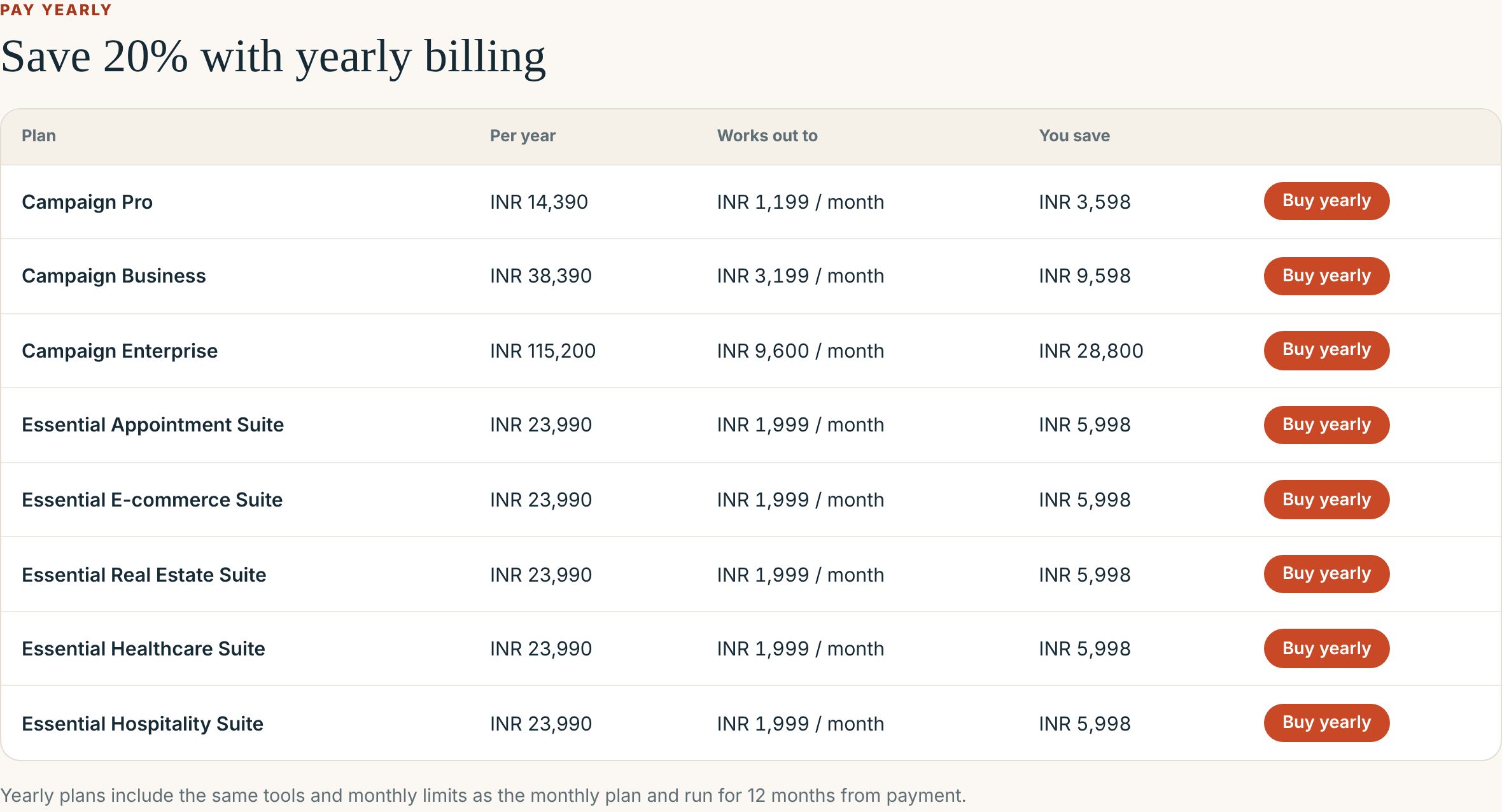
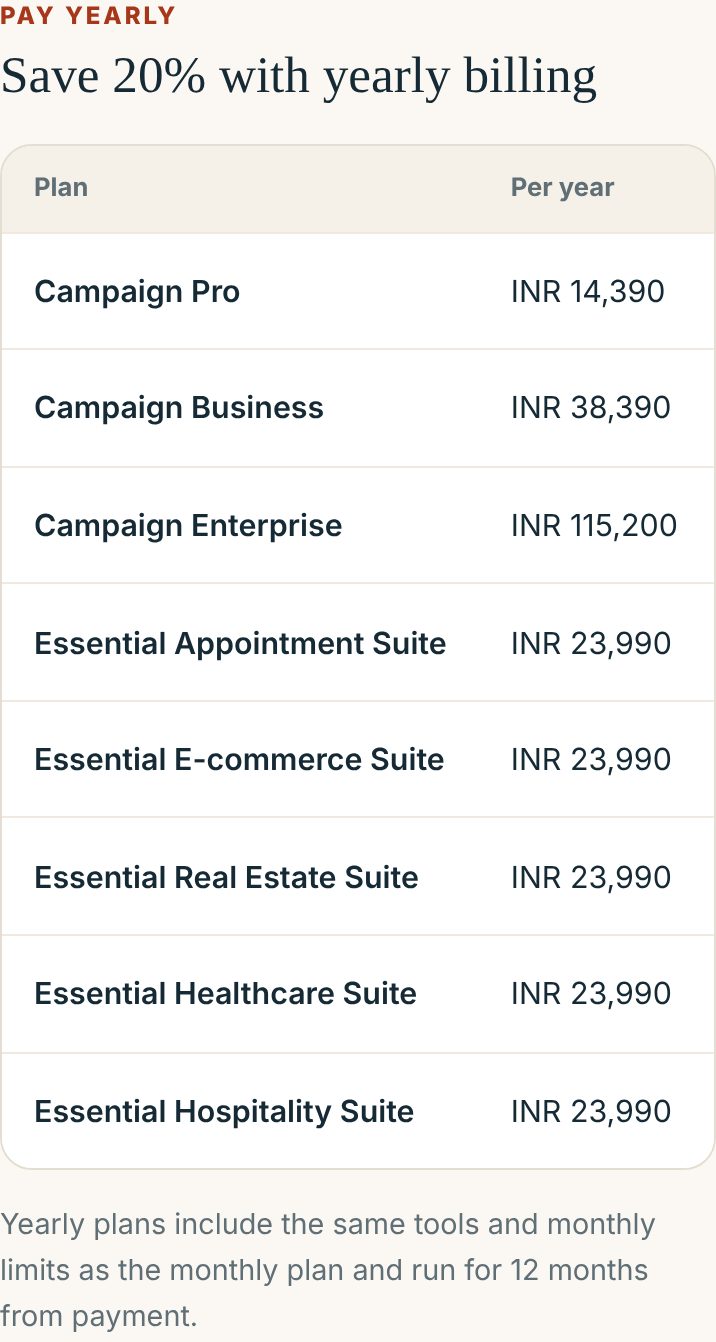
Every paid campaign plan and industry suite now has a yearly option at 20% off the monthly price. A yearly plan includes the same tools and monthly limits as the monthly plan and runs for 12 months from payment. For example, Campaign Pro costs INR 14,390 a year, which works out to INR 1,199 a month and saves INR 3,598. The Essential industry suites cost INR 23,990 a year. You will find the full table, with a Buy yearly button for each plan, on the pricing page.
See exactly what each campaign plan includes
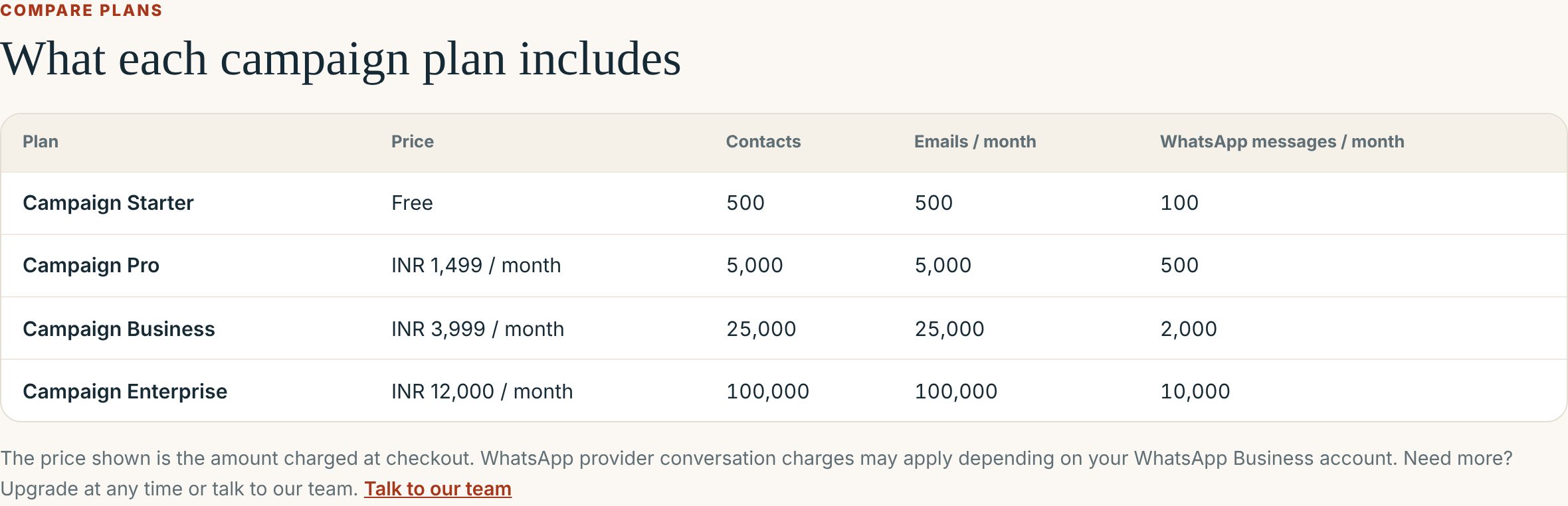
The pricing page now compares the campaign plans side by side: contacts, emails a month and WhatsApp messages a month. Campaign Starter is free, with 500 contacts, 500 emails and 100 WhatsApp messages a month. Campaign Pro raises that to 5,000 contacts, 5,000 emails and 500 WhatsApp messages. WhatsApp conversation charges from your provider may apply depending on your WhatsApp Business account.
Start free, in any industry
Every WebPlatform account starts free. Alongside Campaign Starter, there are free Starter plans for appointments, e-commerce, real estate, healthcare and hospitality, so you can set up and see results before you pay. Every account also gets a free website at your-business.webplatform.co.in, and its /appointment page takes bookings as soon as you add your services and working hours.
The pricing page now shows a card for each industry's free Starter plan, and lists what every account includes free: your website, blog and customer CRM.
One booking link to share
If you take appointments, your setup checklist now shows your booking link, ready to copy into WhatsApp, Instagram or Google. It opens your website's booking page, or a simple booking form if you do not have a site yet, so customers book with you directly.
Shopify app: now "WebPlatform: WhatsApp & Email"
Our Shopify app has a clearer name that says what it does: WebPlatform: WhatsApp & Email. It connects your Shopify store to consent-aware WhatsApp and email campaigns run from your WebPlatform workspace.
WordPress Email Connector 1.3.1
The WordPress Email Connector download is now version 1.3.1, the current release, and it is no longer labelled beta. You can download it from the plugins page.
Step-by-step guides for every industry
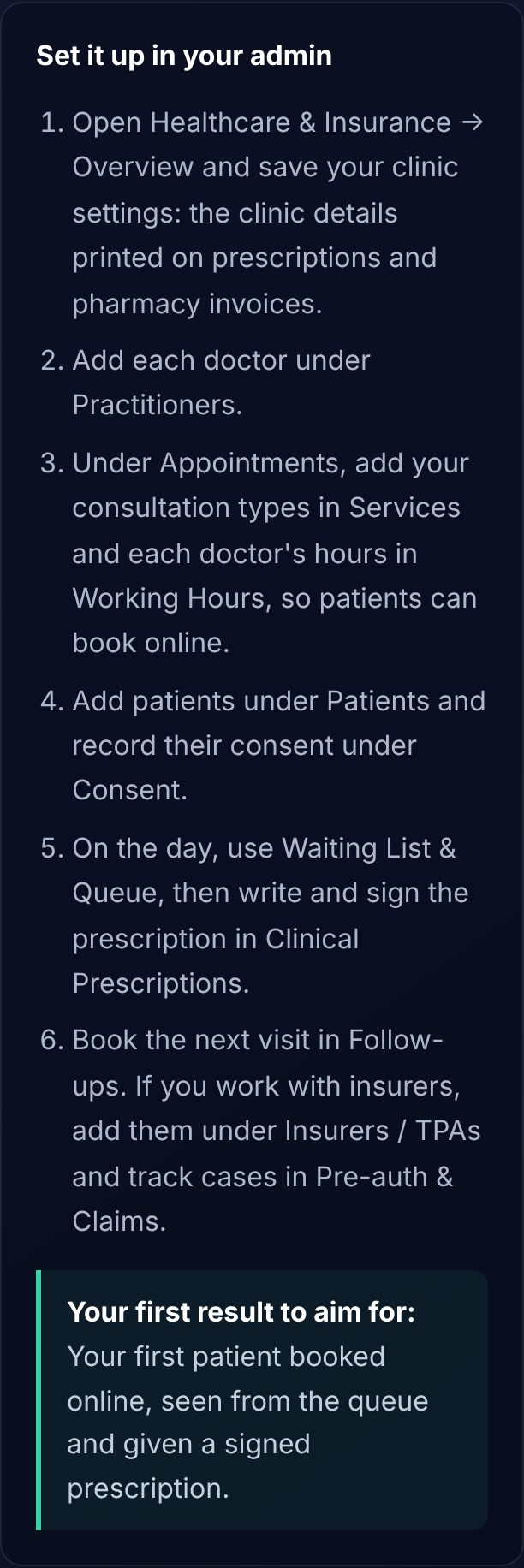
The Module Wiki now has setup guides for Healthcare, Real Estate, Hospitality, Loyalty, Gift Cards, Delivery Services, SMS order updates, Blog, and Team and Access. Each one lists the admin pages to open in order, the first result to aim for, and answers to common questions.
Module names are plainer too: Email Marketing instead of Emailer, Real Estate instead of Real Estates, WhatsApp Marketing instead of WhatsApp Messaging, and Website instead of Static Site.
Your website builder is now in every industry suite
The Appointment, E-commerce, Real Estate, Healthcare and Hospitality suites now include the Website module (page builder, menus and templates) at the same price, along with the tools added earlier: analytics, customer records, email, loyalty points and gift cards where they fit.
Coming soon
These are built and in final testing.
- Website enquiries in your Leads inbox. Messages from the contact form on your WebPlatform website will land in Leads, ready to assign and follow up, and the sender is added to your customers.
- Your company on real estate documents. A Document Settings page for your company name, logo, contact and bank details, printed on every Booking, Estimate and Allotment form you send buyers.
What to do next
- Open your dashboard and finish the first step on your checklist.
- Planning to stay a year? Compare the yearly prices and save 20%.
- New to WebPlatform? Create a free account.
- Questions? Talk to our team.